
The Leaky Pipeline Nobody Wants to Measure
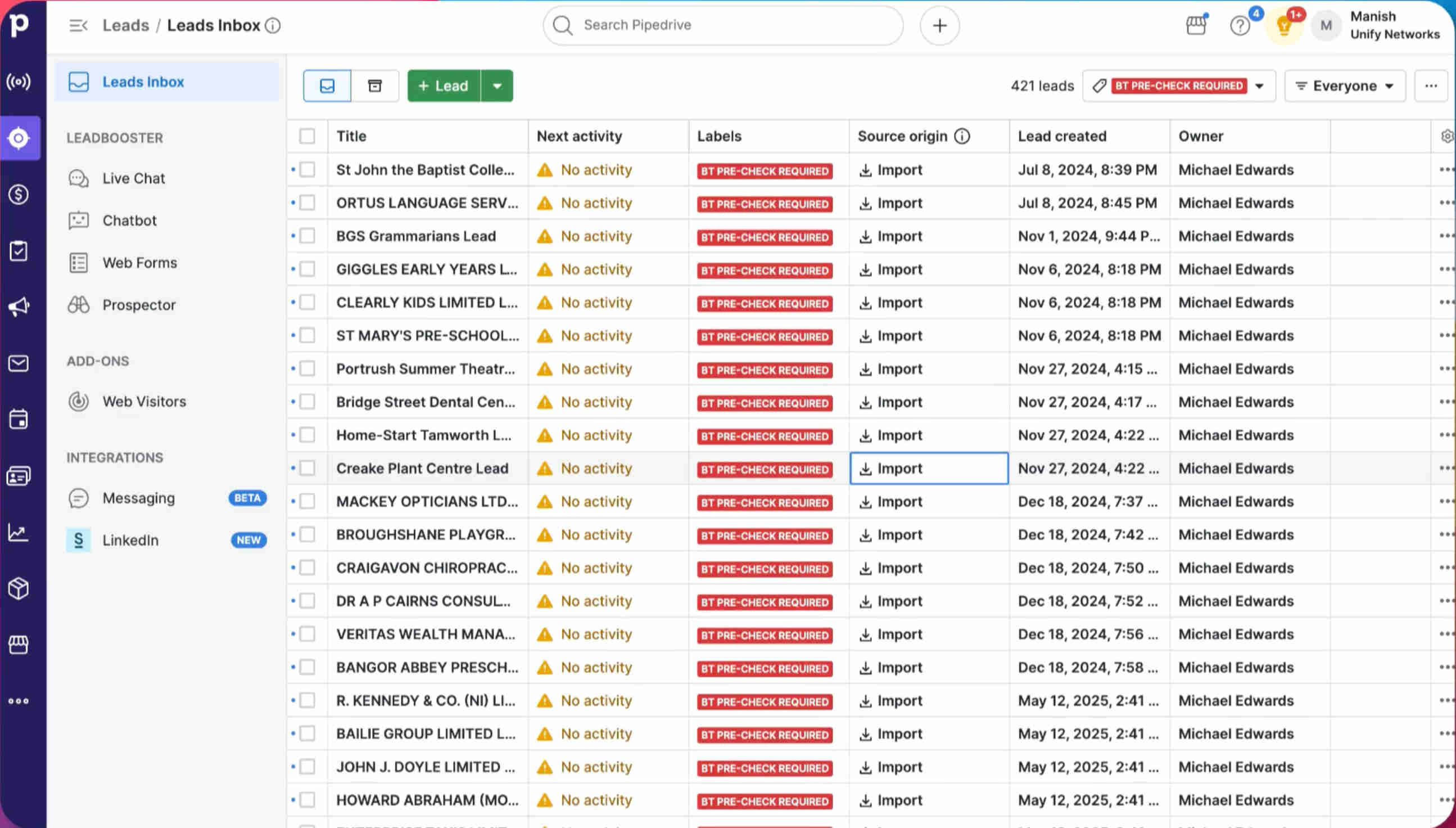
Every B2B sales team has the same quiet problem: lead emails arrive faster than they can be processed. On a good day, a rep copies the contact details from the email into Pipedrive manually — sometimes getting all the fields, sometimes not. On a bad day, the email gets buried, the lead never reaches the CRM, and the opportunity disappears without anyone realizing it. Industry benchmarks suggest 40–50% of lead emails never reach the CRM when teams rely on manual entry — not because the leads aren't valuable, but because the process is too friction-heavy to execute consistently under real workload conditions.
The duplicate problem compounds it. When a rep isn't sure whether a company already exists in Pipedrive, they have three choices: search carefully (time-consuming), create a new record and risk a duplicate (damaging), or do nothing (fatal). Most teams accumulate a CRM cluttered with duplicate organizations and contacts that make pipeline reporting unreliable and account history confusing. The 15–20 hours per week spent on manual data entry isn't just a cost — it's a source of structural data quality problems that get worse with every new hire and every new lead volume spike.
Building the Lead Capture Engine: From Inbox to CRM Without Touching a Keyboard
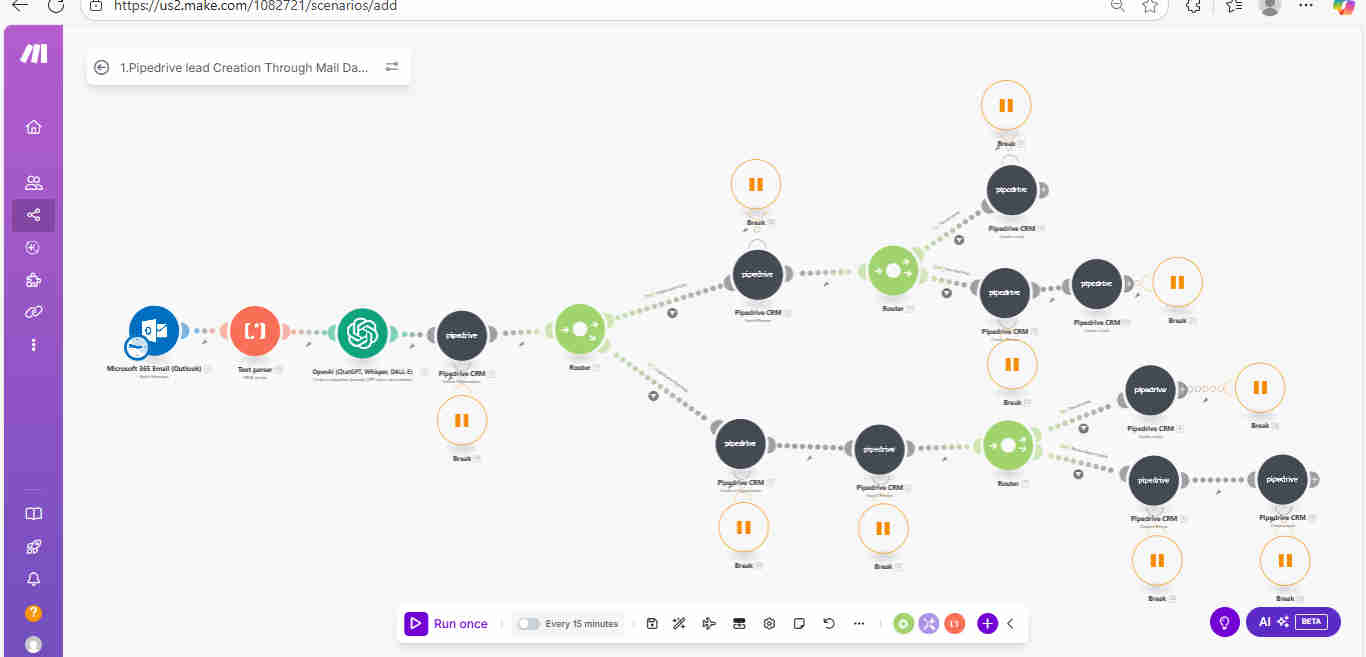
GrowwStacks engineered a complete lead capture automation built around one outcome: every lead email that arrives in your Outlook inbox should result in a clean, complete, duplicate-checked Pipedrive record — within minutes, with zero human involvement in the data entry process. We selected Make.com as the orchestration layer for its deep Pipedrive API integration and the conditional routing flexibility required to handle the organization-exists vs. organization-new decision tree reliably at production volumes. ChatGPT handles the extraction intelligence — parsing unstructured email text that no regex or template-based parser could reliably handle across the variety of email formats real-world leads arrive in.
The core architectural insight is the dual-route logic: rather than blindly creating new records, the system first searches Pipedrive for an existing organization matching the company name. Depending on what it finds, it routes to either an update path (existing organization) or a creation path (new organization) — ensuring your CRM hierarchy stays clean regardless of whether leads from the same company arrive days, weeks, or months apart.
From Inbox to Pipedrive Record: The Complete Workflow
The system operates across a precise sequence of steps, with two conditional branches that handle the full range of lead scenarios your inbox produces. Here's the complete flow:
- Email monitoring and capture: The Make.com scenario runs with a Microsoft Outlook watch trigger that monitors your designated inbox continuously. The moment a lead email arrives, the trigger fires and captures the complete message content — sender, subject line, email body, and metadata — and passes it downstream for processing.
- Text parsing and formatting: A text parser module structures the raw email content into a consistent format, stripping extraneous headers, signatures, and formatting noise that would interfere with AI extraction. This step ensures ChatGPT receives clean, consistently formatted input regardless of how differently formatted the incoming emails are.
- ChatGPT data extraction: ChatGPT analyzes the structured email text and extracts all relevant contact fields — full name, email address, phone number, company name, job title, website, and any other details present in the message. The extraction prompt handles the real-world messiness of lead emails: partial information, informal phrasing, and fields embedded in paragraphs rather than structured forms.
- Pipedrive organization search: Using the extracted company name, the workflow queries Pipedrive's organization search API to check whether a matching account already exists. This is the critical duplicate prevention checkpoint — it runs before any record is created or modified.
- Route 1 — Existing organization: If a matching organization is found, the workflow updates that organization record with any new information from the current email. It then searches for existing leads associated with that organization. If a lead for this contact already exists, it updates the record; if not, it creates a new lead linked to the existing organization — preserving the account history and hierarchy cleanly.
- Route 2 — New organization: If no matching organization is found, the workflow creates a new Pipedrive organization with the extracted company details. It then searches for any existing deals that might be associated with this contact before creating a new lead with complete contact information. The lead is assigned to the appropriate sales team member based on configured assignment rules.
- Deal creation and assignment: In both routes, the workflow creates or updates the associated deal in Pipedrive, ensuring the full CRM hierarchy — organization, contact, lead, and deal — is established from a single email. Lead assignment logic distributes new records to the correct rep based on territory, round-robin, or custom rules configured during setup.
💡 The duplicate problem most automation ignores: Most email-to-CRM tools create a new record unconditionally. The dual-route architecture here was built specifically because Pipedrive's value depends entirely on clean organizational hierarchy — a CRM full of duplicate company records destroys pipeline reporting accuracy and makes account history unusable. The search-before-create logic is not an optional feature; it's the core design principle.
What This System Does That Manual CRM Entry Can't
AI Data Extraction
ChatGPT extracts structured contact details from unstructured email text — names, emails, phone numbers, company names, job titles — with 90%+ accuracy regardless of email format or writing style. Eliminates transcription errors and incomplete records from rushed manual copy-paste operations.
Intelligent Duplicate Detection
Every incoming lead triggers a Pipedrive organization search before any record is created or modified. The system maintains 100% CRM database cleanliness — no duplicate organizations, no redundant contacts — without requiring reps to remember to search before they create.
Dual-Route Workflow Logic
Conditional routing handles both scenarios correctly — updating existing records when the organization is found, creating complete new structures when it isn't. Both paths produce properly linked organizations, leads, and deals with no manual decision-making required from the sales team.
Complete CRM Structure
Creates the full Pipedrive hierarchy — organization, associated lead, and deal — from a single email. Sales reps open a new lead and find complete company context, contact details, and a deal record ready for qualification, rather than an isolated contact with no associated account history.
Automated Lead Assignment
New leads are assigned to the appropriate sales rep automatically based on configured distribution rules — territory, round-robin, or custom logic. Eliminates the coordination overhead of manual lead distribution and ensures no lead sits unassigned in a shared queue.
100% Email Lead Capture
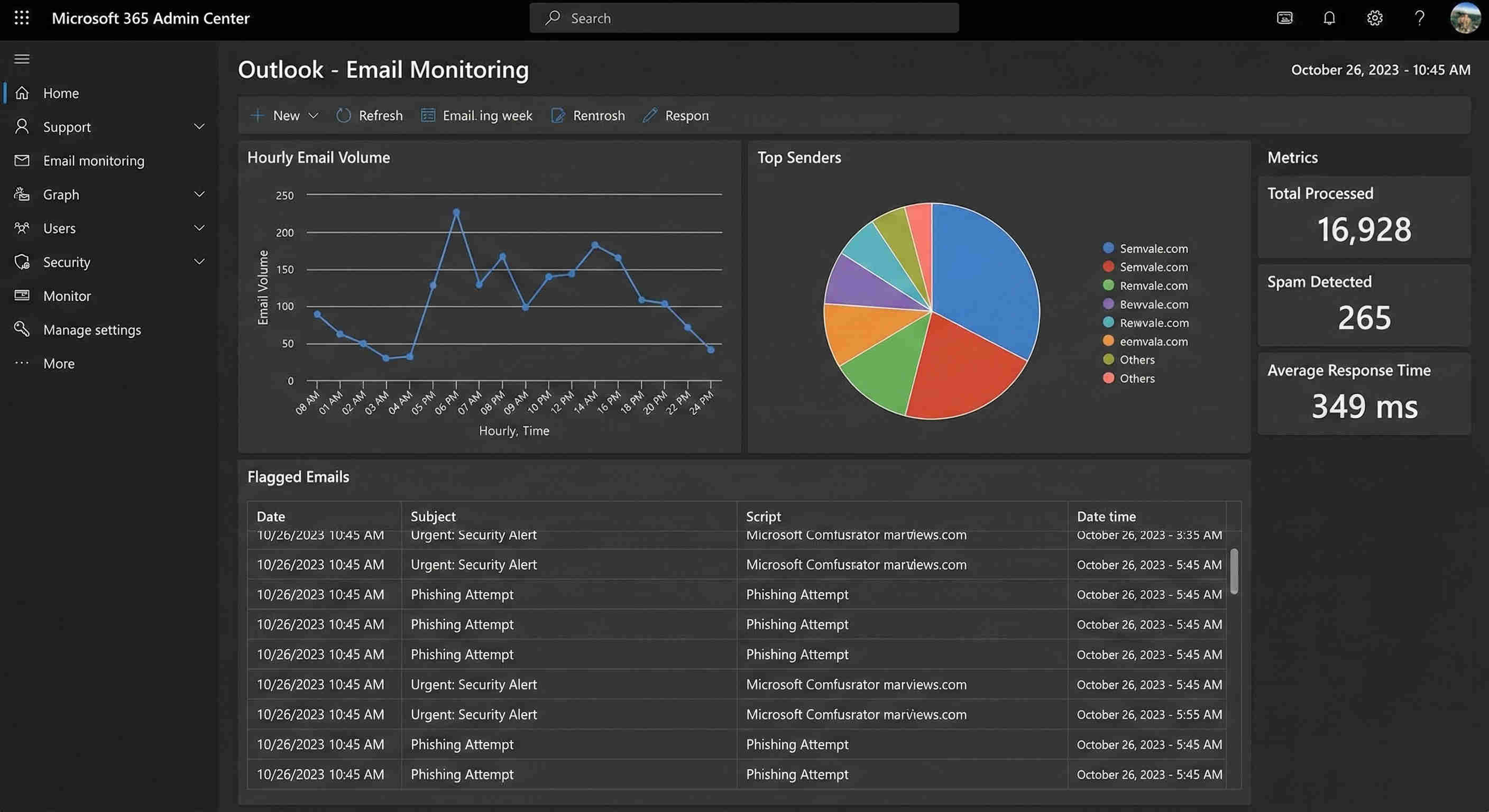
Every incoming lead email is processed automatically — there is no manual selection, no prioritization queue, and no risk of a high-value lead being buried in inbox volume. The 40–50% of opportunities previously lost to process overwhelm are fully recovered.
The System in Action
.png?updatedAt=1772050123040)
Before vs. After: What Changes When CRM Entry Runs Itself
Before: Sales teams spent 15–20 hours weekly manually copying lead information from emails into Pipedrive. Despite the effort, 40–50% of leads never reached the CRM — either because email volume overwhelmed the team or because reps deprioritized data entry in favor of active selling. Duplicate records accumulated from reps creating new organizations without searching first. Data quality degraded with every rushed entry, and follow-up delays of days or weeks were common when CRM backlogs built up during high-volume periods.
After: Every lead email is processed automatically the moment it arrives — extracted, checked for duplicates, and entered into Pipedrive as a complete, properly structured record within minutes. Reps open their CRM at the start of each day and find fully populated leads assigned to them, ready for outreach. Data quality is consistent because the same extraction and validation logic runs on every email without exception. Weekly CRM entry time drops from 20 hours to approximately 60 minutes of review and quality-checking.
Implementation: Live in 8 Weeks
Due to the complexity of the dual-route logic, Pipedrive API integration, and the need for thorough duplicate detection testing, this system reaches production in five structured steps over 8 weeks.
- Email and Pipedrive integration: Microsoft Outlook is connected to Make.com with inbox monitoring permissions for the designated lead capture folder. Pipedrive is authenticated via API credentials with scopes covering organizations, leads, and deals. Email filtering rules are configured if needed to narrow monitoring to relevant lead categories. Connectivity is tested end-to-end before any data processing logic is built.
- Data extraction configuration: Text parser rules are developed to consistently format email content across the variety of email structures your leads arrive in. ChatGPT prompts are engineered and iterated to extract all relevant contact fields accurately — tested against a representative sample of real lead emails from your inbox to validate extraction completeness before production deployment.
- Duplicate detection logic: Pipedrive organization search is configured with company name matching criteria. Duplicate detection thresholds are defined — handling variations in company name formatting (Inc. vs. Inc, LLC vs. L.L.C.) that would cause false negatives in naive exact-match searches. Lead duplicate checking logic is built and tested against your existing CRM data to confirm accuracy.
- Dual-route workflow development: Route 1 (existing organization) is built with organization update, lead search, and create/update logic. Route 2 (new organization) is built with complete structure creation — organization, lead, deal — and assignment routing. Error handling is added for API timeouts and edge cases. Both paths are tested comprehensively with real Pipedrive sandbox data.
- End-to-end testing and deployment: The complete workflow is tested with a representative sample of lead email types — form submissions, direct inquiries, referral introductions, and forwarded contacts — validating extraction accuracy, duplicate detection, and complete CRM structure creation. Assignment logic is verified. Monitoring dashboards are configured. The sales team is briefed on the new automated lead process before production deployment.
The Right Fit — and When It Isn't
This solution delivers maximum ROI for B2B sales teams, lead generation businesses, agencies managing client leads, inside sales organizations, and any team receiving lead inquiries via email that require systematic CRM capture without the manual overhead of field-by-field data entry. It's particularly impactful for teams where email lead volume has grown faster than the capacity to process it manually — the signal being a growing CRM backlog or a known percentage of leads that never get entered.
One honest caveat: this system is built specifically for Microsoft Outlook as the email source and Pipedrive as the CRM. Teams using Gmail or other email clients, or CRMs other than Pipedrive, require a different integration configuration — the underlying logic is identical, but the API connections change. We build versions of this system for Gmail + HubSpot, Gmail + Salesforce, and other combinations; if your stack is different, mention it during discovery and we'll scope the right build.