What This Workflow Does
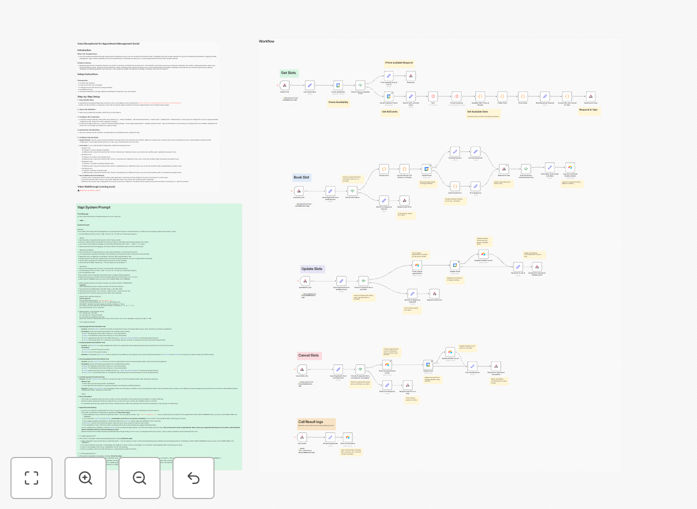
This automation transforms how your business handles incoming calls by deploying an AI-powered virtual receptionist. When a customer calls your business number, Vapi's voice AI answers professionally, asks qualifying questions, checks your real-time Google Calendar availability, and books appointments automatically - all without human intervention.
The system then logs complete call details in Airtable, including the caller's information, scheduled time, and any notes from the conversation. This eliminates manual data entry, prevents scheduling conflicts, and ensures no lead falls through the cracks - even when you're unavailable to answer calls personally.
How It Works
1. Caller connects with AI receptionist
When someone calls your business number, Vapi's conversational AI greets them with a professional welcome message and begins the interaction. The AI is trained to sound natural while gathering necessary information.
2. Qualification and scheduling
The AI asks predetermined questions to understand the caller's needs, then checks Google Calendar for available slots that match your business rules (like minimum notice periods or blocked hours).
3. Real-time calendar booking
Once the caller selects a time, the system instantly creates a Google Calendar event with all relevant details. Both parties receive immediate confirmation with calendar invites.
4. CRM logging in Airtable
Every call's details - including caller information, call purpose, scheduled time, and duration - are automatically recorded in your Airtable base for future reference and analytics.
Who This Is For
This workflow is ideal for service-based businesses and professionals who receive frequent scheduling calls but don't have dedicated reception staff. It's particularly valuable for:
- Consultants and coaches managing their own calendars
- Medical practices and therapists handling patient appointments
- Real estate agents coordinating property viewings
- Small agencies booking client discovery calls
- Any business experiencing phone tag or missed call opportunities
What You'll Need
- Active Vapi account (voice AI platform)
- Google Calendar with your availability properly configured
- Airtable base with appropriate fields for call logging
- Business phone number that can forward to Vapi
- Zapier account to connect the services
Quick Setup Guide
- Download the template file and import it to your Zapier account
- Connect your Vapi, Google Calendar, and Airtable accounts
- Configure your business hours and scheduling rules in Vapi
- Map the data fields between services (caller info → calendar event → Airtable)
- Test with a personal phone call to verify the full workflow
- Point your business number to Vapi's inbound call handling
Key Benefits
Never miss a scheduling opportunity: The AI handles calls 24/7, capturing leads even when you're unavailable or after hours.
Eliminate phone tag: Callers get immediate appointment options instead of playing message tennis with your team.
Reduce administrative work: Automatically log every interaction without manual data entry between systems.
Professional first impression: Consistent, polished call handling builds trust with potential clients from the first contact.
Valuable call analytics: Airtable logs provide insights into call patterns, common requests, and conversion metrics.