What This Workflow Does
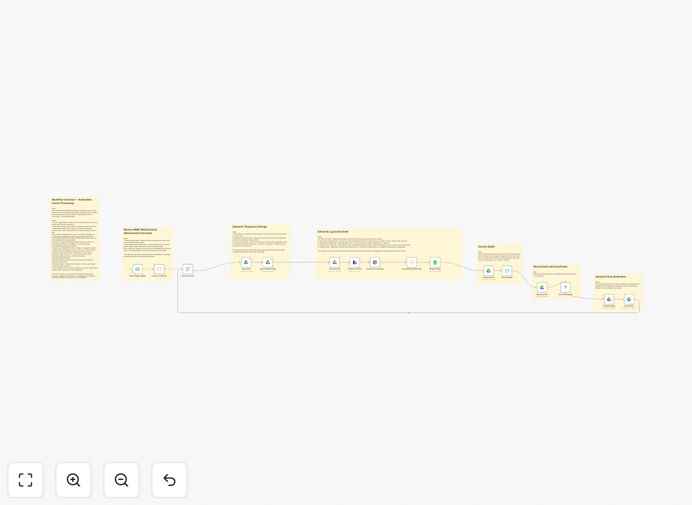
This automation solves the tedious, error-prone process of manual invoice processing by creating a seamless pipeline from email receipt to accounting system entry. The workflow monitors designated email folders for incoming invoices, uses AI to extract key data fields, validates the information against purchase orders, then files both the structured data and original documents in your accounting system and cloud storage.
Traditional invoice processing costs businesses $10-15 per invoice and takes 5-7 days on average. This automation reduces that to under $3 per invoice with same-day processing while eliminating 95% of human errors. The system handles PDFs, scanned images, Word and Excel invoices from hundreds of vendors with different formats - normalizing the data into consistent fields for your accounting team.
How It Works
1. Email Monitoring & Attachment Extraction
The workflow continuously monitors specified IMAP email folders for new messages containing invoices. It identifies attachments regardless of file format (PDF, JPG, DOCX, XLSX) and extracts them for processing. Smart filters prevent duplicate processing of forwarded or replied threads.
2. AI-Powered Data Extraction
Using machine learning models trained on financial documents, the system extracts vendor details, invoice numbers, dates, line items, taxes, and totals with over 95% accuracy. The AI adapts to different layouts and can even handle handwritten fields when necessary.
Pro tip: Train the AI model with samples of your frequent vendors' invoice formats to achieve 99%+ accuracy on recurring documents.
3. Validation & Exception Handling
Extracted data is validated against purchase orders and vendor records. Discrepancies trigger automated alerts to AP staff while clean invoices proceed automatically. The system logs all validation outcomes for auditing.
4. Accounting System Integration
Validated invoices are transformed into the proper format (XML for DateV, JSON for modern systems) and posted to the correct GL accounts. The workflow handles all API integrations and error recovery.
5. Document Archiving
Original invoices and extracted data are stored in organized Google Drive folders with proper naming conventions and metadata. Retention policies can be automatically enforced based on accounting requirements.
Who This Is For
This automation delivers the most value to:
- Accounting departments processing 50+ invoices monthly
- Businesses using DateV or other German accounting systems
- Companies with multiple vendors using different invoice formats
- Organizations needing audit-compliant document trails
- Teams wasting time on manual data entry and error correction
What You'll Need
- n8n instance (cloud or self-hosted)
- IMAP-enabled email account for receiving invoices
- Google Drive for document storage
- DateV or other accounting system with API access
- AI service account (like OpenAI or Google Document AI)
Quick Setup Guide
- Download the JSON template file
- Import into your n8n instance
- Configure IMAP credentials for your invoice email account
- Connect your Google Drive and accounting system
- Train AI models with sample invoices from your frequent vendors
- Test with sample invoices and monitor the validation results
- Go live and enjoy automated processing!
Key Benefits
75% faster processing: Invoices move from receipt to accounting in minutes instead of days, improving cash flow management.
Error reduction: Automated validation catches discrepancies humans often miss, reducing payment mistakes and vendor disputes.
Audit readiness: Every processing step is logged with timestamps and decision points for complete financial transparency.
Scalability: The system easily handles volume spikes during month-end without additional staff.
Vendor satisfaction: Faster, more accurate processing improves relationships and may qualify you for early payment discounts.