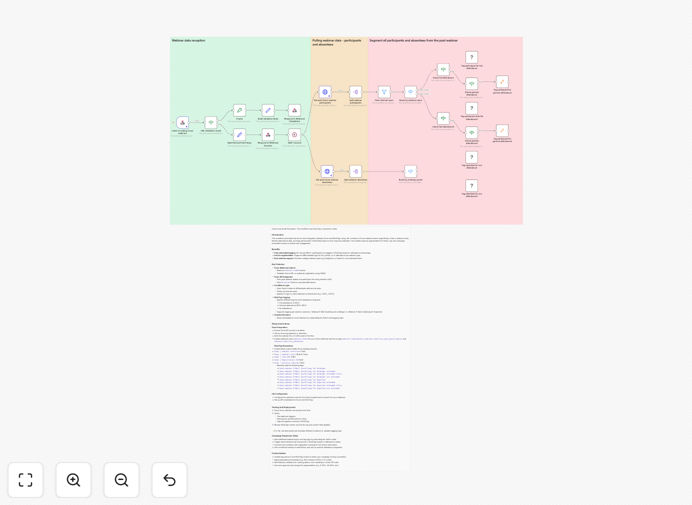
What This Workflow Does
This automation solves the tedious manual process of tracking webinar attendance and updating marketing systems. When hosting Zoom webinars, knowing who attended and for how long is valuable data that often gets stuck in spreadsheets or requires manual tagging in email marketing platforms like KlickTipp.
The workflow automatically captures Zoom webinar attendance data as soon as a session ends, matches attendees with existing contacts in KlickTipp, and applies appropriate tags based on their participation level. This enables immediate, targeted follow-up campaigns without any manual data processing.
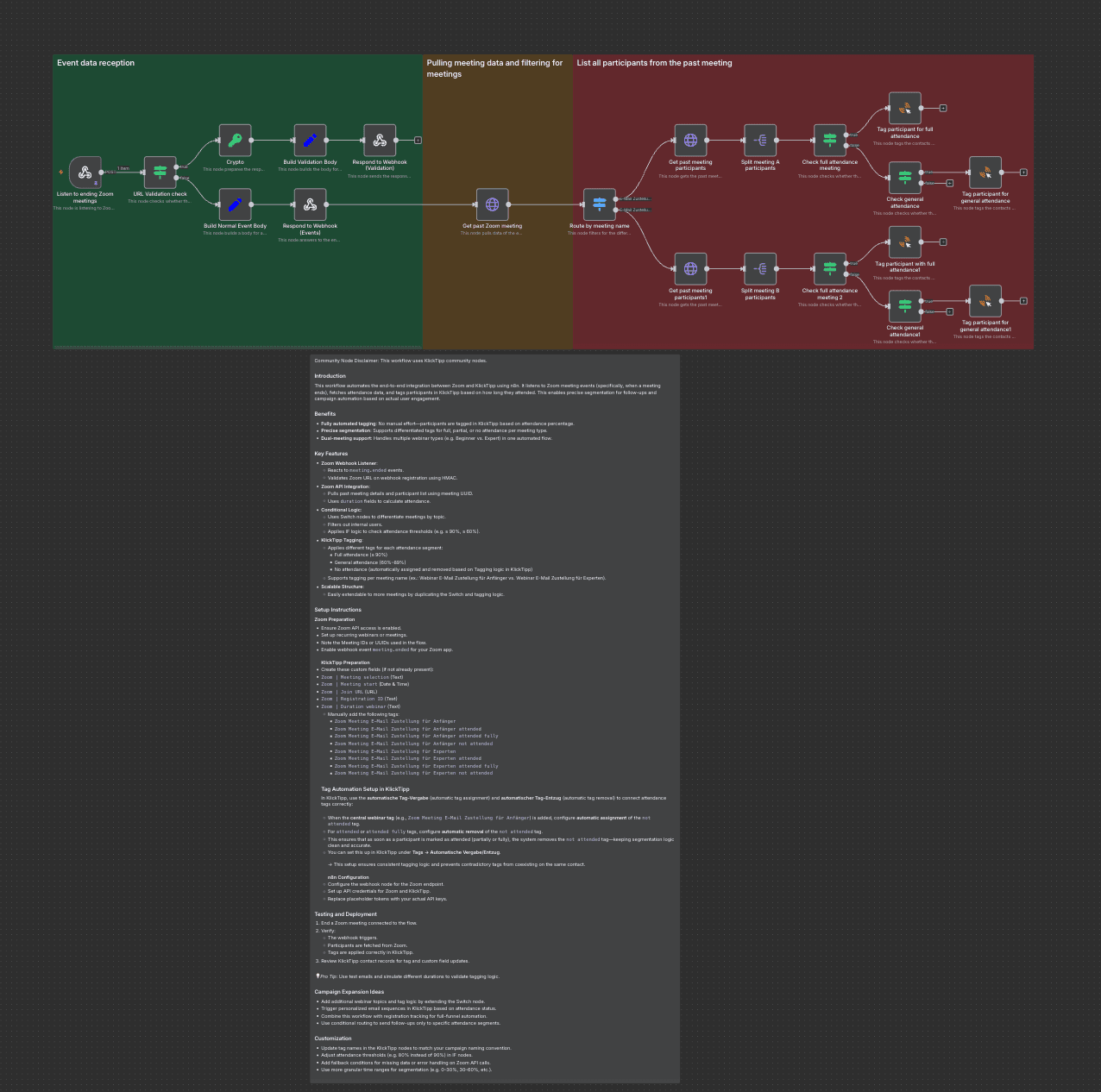
How It Works
1. Webinar completion trigger
The workflow activates when Zoom sends a webinar.ended webhook notification. This ensures processing only happens after all attendance data is finalized.
2. Attendee data extraction
The system retrieves the full list of participants along with their join/leave times, calculating total attendance duration for each person.
3. KlickTipp contact matching
Each attendee's email address is used to find their corresponding contact record in KlickTipp. The workflow handles cases where contacts may not yet exist in the system.
4. Smart tagging application
Based on configured rules (like minimum attendance duration), the workflow applies relevant tags to categorize attendees in KlickTipp for segmentation.
Pro tip: Set different tag thresholds (like "Attended 50%" vs "Attended 90%") to enable more granular follow-up campaigns.
Who This Is For
This automation is ideal for:
- Marketing teams running educational webinars
- Course creators hosting live training sessions
- Sales teams conducting product demos
- Coaches and consultants delivering group sessions
- Any business using Zoom webinars with KlickTipp for marketing
What You'll Need
- Zoom Pro account with webinar access
- KlickTipp account with API access
- n8n instance (cloud or self-hosted)
- Webhook URL configured in Zoom
- Basic understanding of KlickTipp tags
Quick Setup Guide
- Download the JSON template file
- Import into your n8n instance
- Configure Zoom webhook credentials
- Set up KlickTipp API connection
- Define your tagging rules and thresholds
- Test with a sample webinar
- Activate the workflow for production
Key Benefits
Save 2-3 hours per webinar by eliminating manual attendance tracking and spreadsheet work. The automation handles everything instantly after each session.
Improve follow-up timing by triggering emails immediately after the webinar while the content is fresh in attendees' minds, rather than days later.
Enhance segmentation with precise attendance data that lets you tailor messages based on actual engagement levels.
Reduce human error by automating data transfer between systems, eliminating mistakes from manual entry.
Scale your webinars without adding administrative overhead, even when attendance grows into the hundreds or thousands.