What This Workflow Does
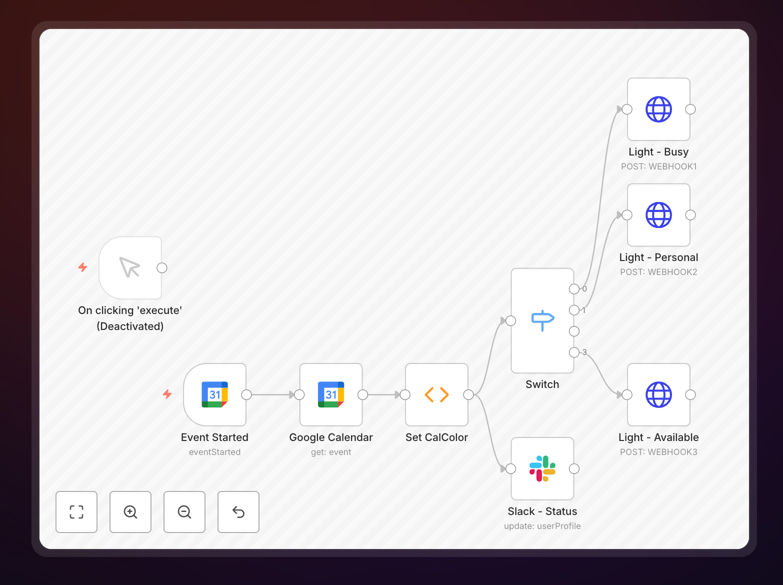
This automation solves the common productivity challenge of unwanted interruptions during focus time or important meetings. By connecting Google Calendar with Slack status and Philips Hue smart lights, it creates a multi-channel availability signaling system that helps protect your concentration time.
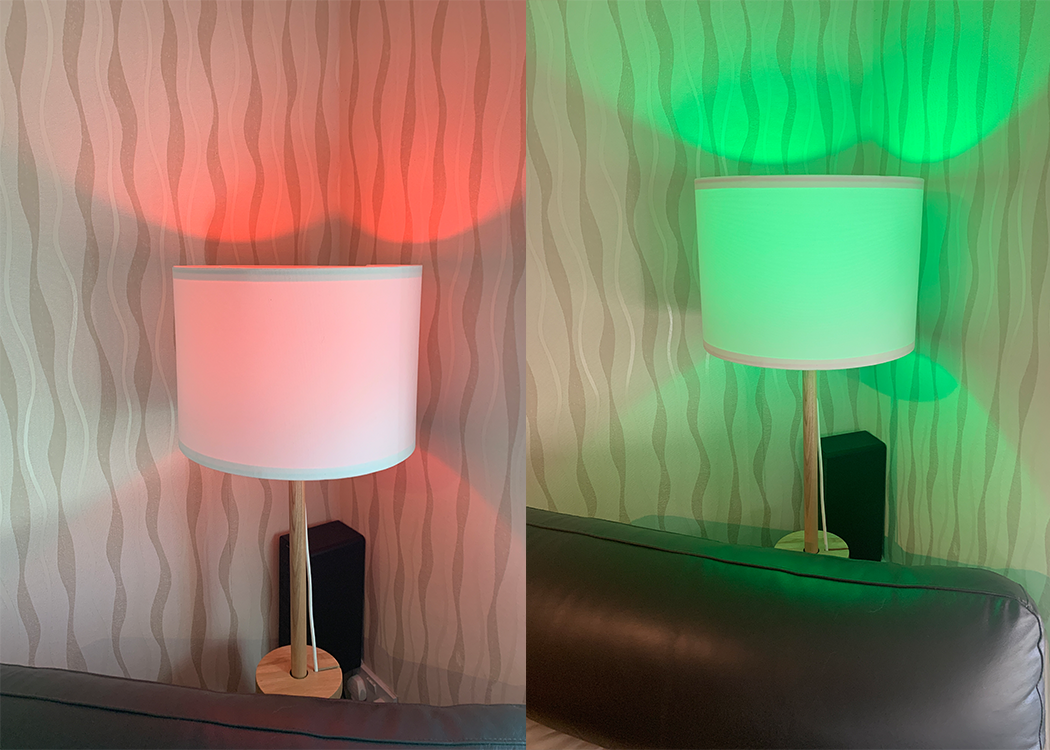
When you're in a meeting (as marked in Google Calendar), the workflow automatically updates your Slack status to "In a meeting" and changes your Philips Hue lights to a designated color. This creates both digital and physical indicators that you're currently unavailable, reducing interruptions from colleagues or household members.
How It Works
1. Calendar Event Detection
The workflow continuously monitors your Google Calendar for new or updated events. It checks event titles, durations, and metadata to determine appropriate status updates.
2. Status Logic Processing
Based on the calendar event details, the system determines whether to set you as "Available" or "Busy," and selects appropriate status messages and light colors for different meeting types.
3. Multi-Platform Updates
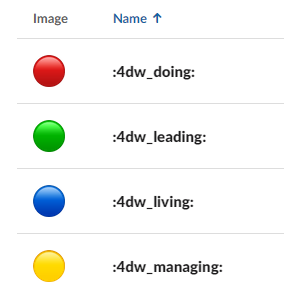
The workflow simultaneously updates your Slack status (including custom emoji and messages) while changing Philips Hue light colors in your workspace. All updates happen in real-time as events start and end.
Who This Is For
This workflow is ideal for knowledge workers, remote teams, and companies implementing focus-friendly policies like four-day work weeks. It's particularly valuable for:
- Managers with back-to-back meetings
- Developers protecting deep work time
- Hybrid teams coordinating office/remote schedules
- Families balancing work-from-home with household activities
What You'll Need
- Google Calendar with events you want to track
- Slack workspace with permission to update your status
- Philips Hue bridge and compatible smart lights
- n8n or Zapier account to host the workflow
- Basic understanding of API connections (or follow our setup guide)
Pro tip: Create event naming conventions (like "[Focus]" or "[Client]") to trigger different status messages and light colors for various meeting types.
Quick Setup Guide
- Download the workflow template file
- Import into your n8n or Zapier account
- Connect your Google Calendar, Slack, and Philips Hue accounts
- Configure status messages and light colors for different event types
- Test with sample calendar events to verify functionality
- Deploy the workflow for automatic updates
Key Benefits
Reduces interruptions by 40-60% according to studies on visual availability indicators. Colleagues are much less likely to ping someone whose status clearly shows they're busy.
Saves 5-10 minutes daily by eliminating manual status updates. The system handles all changes automatically based on your calendar.
Improves work-life boundaries with physical light indicators that household members can understand without checking your digital tools.
Enhances team coordination by making everyone's availability status accurate and automatically updated.