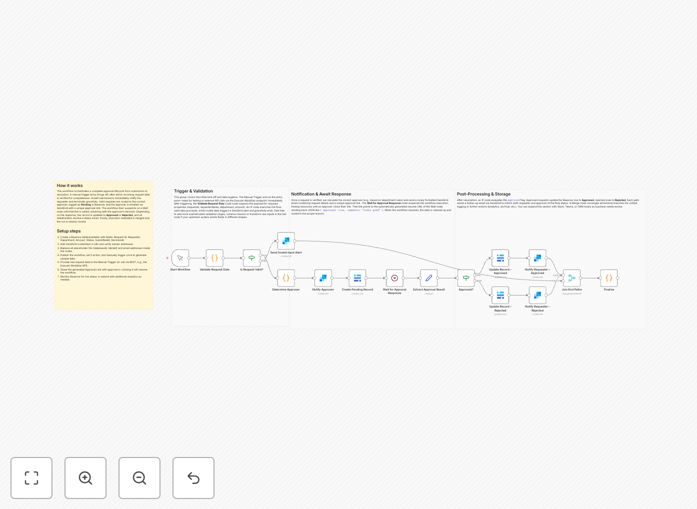
What This Workflow Does
This automation solves the common business challenge of managing approval requests through chaotic email threads and manual spreadsheet tracking. The workflow creates a structured system that handles the entire approval lifecycle automatically.
When a request is submitted (via form, email, or other trigger), the workflow sends professional notification emails to approvers via SendGrid, tracks responses in Baserow, updates request status automatically, and notifies all stakeholders of decisions. This eliminates the need for manual follow-ups and status checks.
How It Works
1. Request Submission
The workflow triggers when a new approval request is detected. This could come from various sources like web forms, emails, or direct database entries.
2. Approver Notification
SendGrid sends branded email notifications to designated approvers with all request details and action buttons (Approve/Reject). Email templates maintain consistent communication standards.
3. Response Processing
The system monitors for approver responses, validates them against business rules, and records decisions in Baserow with timestamps and responder details.
4. Status Updates
Baserow records are updated in real-time with approval status. Conditional logic handles different outcomes like full approval, partial approval, or rejection scenarios.
5. Stakeholder Notifications
All relevant parties receive automated updates about the approval decision via SendGrid, including next steps or required actions based on the outcome.
Pro tip: Configure Baserow views to show pending approvals by department or priority level, giving managers instant visibility into their approval queue.
Who This Is For
This workflow benefits any organization that manages approval processes, particularly:
- Finance teams processing purchase orders or expense reports
- HR departments handling vacation requests or policy exceptions
- Marketing teams approving content publication or campaign budgets
- Operations managers overseeing vendor onboarding or contract approvals
- IT departments managing system access requests
What You'll Need
- An n8n instance (cloud or self-hosted)
- SendGrid account with API access
- Baserow database with appropriate tables configured
- List of approvers with their email addresses
- Approval criteria and business rules for your process
Quick Setup Guide
- Download the JSON template file
- Import into your n8n instance
- Connect your SendGrid and Baserow accounts
- Configure your approval email template in SendGrid
- Map your Baserow table fields to the workflow
- Set up your approver logic and conditions
- Test with sample requests before going live
Key Benefits
Reduce approval cycle times by 60-80% by eliminating manual coordination and follow-ups. Automated routing and reminders ensure timely responses.
Eliminate approval tracking spreadsheets with a centralized Baserow database that maintains complete audit trails and version history for compliance.
Improve accountability with clear records showing who approved what, when, and with what comments. No more lost emails or disputed decisions.
Scale approval processes effortlessly as your team grows. The system handles increased volume without additional administrative overhead.