What This Workflow Does
This interactive tutorial solves a common productivity bottleneck: slow workflow building due to excessive mouse usage. Many automation developers waste hours clicking through menus and interfaces when keyboard shortcuts could accomplish the same tasks in seconds. This template transforms shortcut learning from a boring memorization exercise into an engaging, hands-on experience.
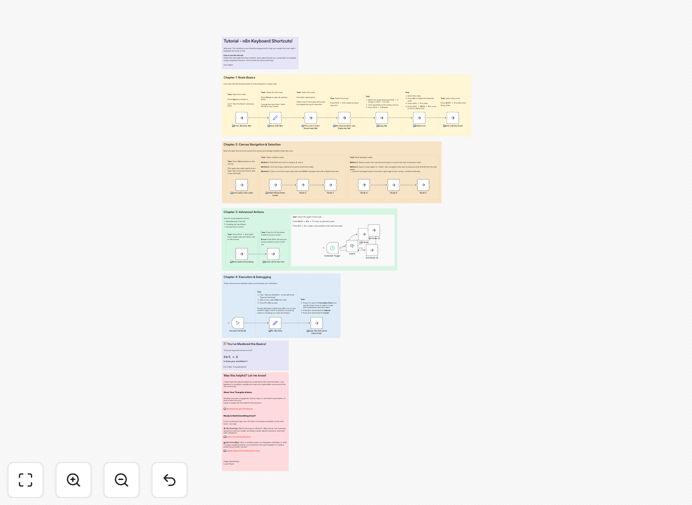
The workflow is structured as a practical playground where you complete specific tasks using n8n keyboard shortcuts. Instead of reading documentation, you immediately apply each shortcut to build muscle memory. The template guides you through four essential skill areas—from basic node manipulation to advanced debugging techniques—ensuring you develop comprehensive shortcut proficiency that translates directly to faster automation development.
How It Works
The tutorial follows a progressive learning path with clear objectives and immediate feedback through task completion.
Chapter 1: Node Basics
You'll learn fundamental interactions with individual nodes, including renaming for clarity, editing configurations, duplicating complex nodes, and temporarily deactivating sections for testing. Each task is presented as a sticky note with specific instructions, guiding you to use the correct keyboard combinations for these everyday actions.
Chapter 2: Canvas Navigation & Selection
This section teaches efficient movement around large workflows. You'll practice zooming in on details, panning across complex canvases, selecting multiple nodes simultaneously, and organizing your workspace. These shortcuts are crucial for managing extensive automations without getting lost in the interface.
Chapter 3: Advanced Actions
Discover powerful workflow management techniques like tidying messy connections, creating reusable sub-workflows, and quickly reorganizing node layouts. These advanced shortcuts separate novice builders from automation experts, enabling sophisticated workflow architecture with minimal effort.
Chapter 4: Execution & Debugging
Learn essential shortcuts for testing and troubleshooting. You'll practice pinning data for inspection, toggling execution modes, navigating the executions panel, and quickly testing workflow branches. These skills dramatically reduce debugging time and increase confidence in your automations.
Who This Is For
This template is ideal for n8n users at all levels who want to significantly boost their building speed. Beginners will establish good habits from the start, intermediate users will fill knowledge gaps, and advanced builders will discover efficiency tricks they might have missed. Teams implementing n8n across their organization will benefit from standardized shortcut knowledge that improves collaboration and code review efficiency.
Business owners managing their own automations will save countless hours. Developers integrating n8n into larger systems will prototype faster. Automation consultants can use this as a training tool for clients. Anyone who builds more than occasional workflows will see immediate productivity gains from this investment in shortcut mastery.
What You'll Need
- A running n8n instance (Cloud or self-hosted)
- Basic familiarity with n8n's interface
- Keyboard with standard layout (no special hardware required)
- 20-30 minutes of focused practice time
- Willingness to break mouse-dependent habits
Pro tip: Practice shortcuts during actual project work, not just in isolation. The context of real tasks helps cement the combinations in your memory more effectively than abstract exercises.
Quick Setup Guide
This tutorial requires zero configuration—just import and start learning immediately.
- Download the template using the button above
- In your n8n instance, navigate to Workflows → Import from File
- Select the downloaded JSON file
- Open the imported workflow
- Start with the top-left sticky note and follow instructions
- Complete each task using the specified keyboard shortcuts
- Progress through all four chapters for comprehensive mastery
Key Benefits
30-50% faster workflow building: Keyboard shortcuts eliminate constant context switching between keyboard and mouse, keeping you in a focused flow state. Common actions that took multiple clicks become instantaneous keystrokes.
Reduced mental fatigue: When shortcuts become muscle memory, you conserve cognitive energy for solving automation logic problems rather than navigating the interface. This leads to better-designed workflows and fewer errors.
Improved collaboration: Team members using consistent shortcuts can pair program more effectively and understand each other's workflow modifications faster. Shared shortcut knowledge creates a common efficiency language.
Scalable skill development: The interactive approach ensures you remember shortcuts when you need them, not just during training. This creates lasting productivity gains that compound over hundreds of automation projects.
Professional workflow quality: Efficient builders create better-organized, more maintainable automations because they're not fighting the interface. Shortcut mastery enables cleaner architecture and more thoughtful design decisions.