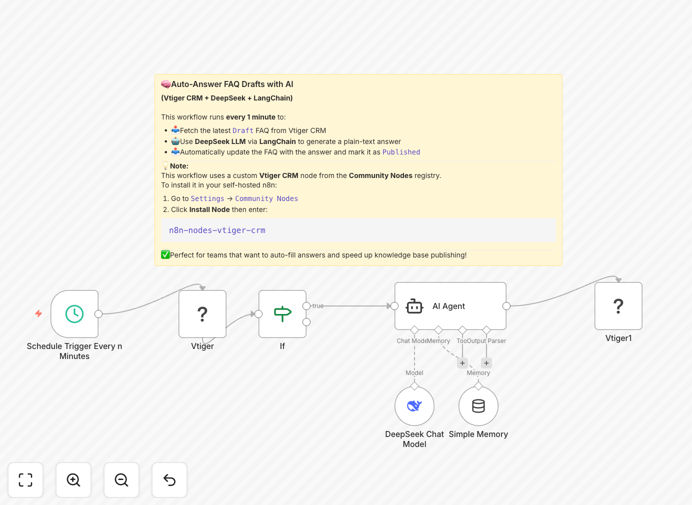
What This Workflow Does
This automation solves the critical challenge of delayed response times in customer support by creating a real-time bridge between your Vtiger CRM and Telegram messaging. When support tickets are created or updated in Vtiger, your team receives instant notifications in Telegram with all relevant details - eliminating the need to constantly check the CRM dashboard.
The workflow goes beyond simple notifications by tracking the complete ticket lifecycle. It automatically sends alerts for status changes (like "In Progress" to "Resolved"), assignment updates, and priority escalations. This ensures your team stays synchronized without manual follow-ups or missed updates.
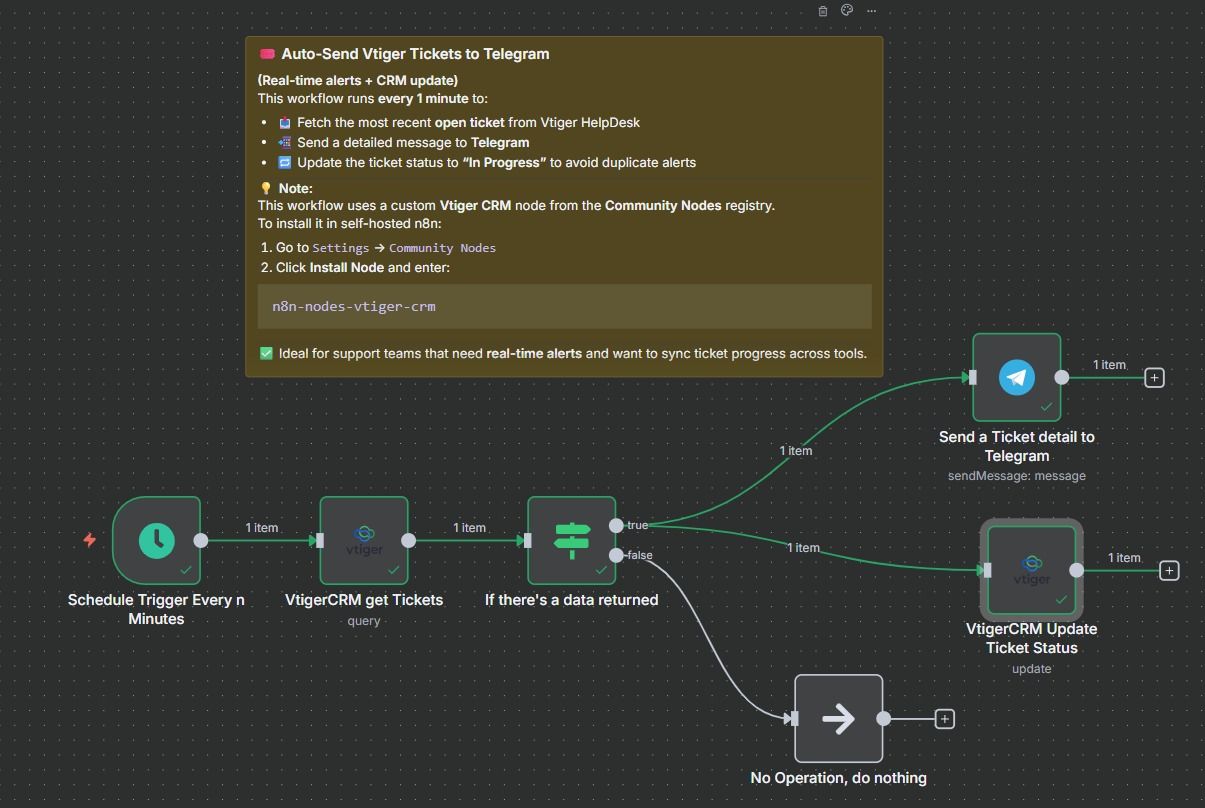
How It Works
1. Monitoring Vtiger for ticket changes
The workflow continuously checks your Vtiger CRM for new support tickets and status updates using the Vtiger community node. It polls the API at regular intervals to detect changes without requiring webhook setup.
2. Processing ticket data
When changes are detected, the workflow extracts key information like ticket ID, subject, description, priority level, assigned agent, and current status. It formats this data into a structured message template for Telegram.
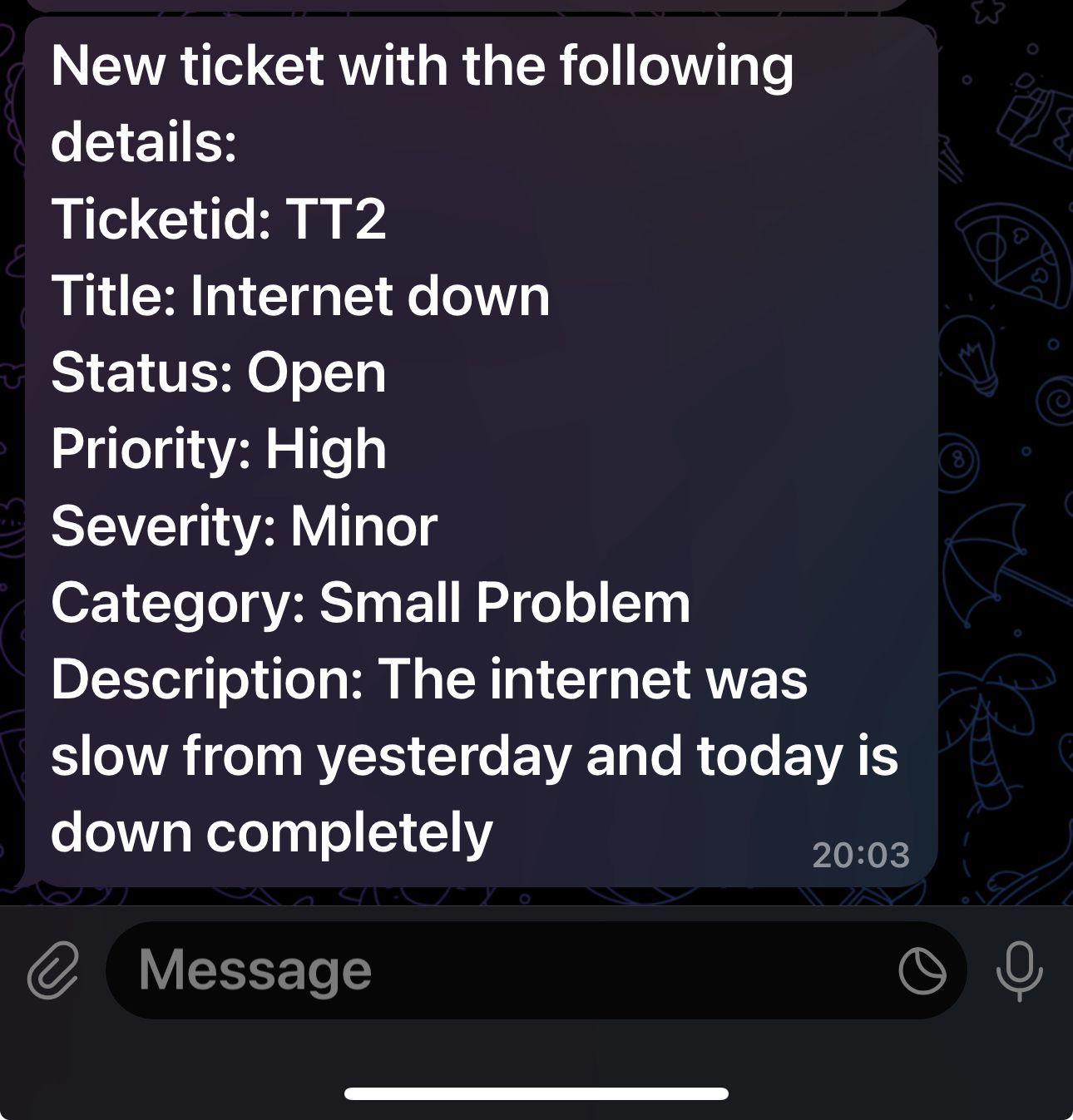
3. Sending Telegram notifications
The workflow connects to your Telegram bot API to deliver instant notifications to specified chat IDs. Different message formats are used for new tickets versus status updates to improve clarity.
Pro tip: Create separate Telegram groups for different priority levels (urgent/normal) to help your team triage effectively.
Who This Is For
This automation is ideal for:
- Customer support teams using Vtiger CRM
- Businesses needing faster response times to support tickets
- Distributed teams who work primarily on mobile devices
- Companies wanting better visibility into ticket lifecycle changes
- Organizations looking to reduce CRM login fatigue for support staff
What You'll Need
- A self-hosted n8n instance (this workflow requires the community node)
- Vtiger CRM with API access
- Telegram bot token and chat ID(s) for notifications
- Basic understanding of n8n workflow configuration
Quick Setup Guide
- Download and import the JSON template into your n8n instance
- Configure the Vtiger node with your CRM API credentials
- Set up the Telegram node with your bot token
- Adjust the polling interval based on your support volume
- Customize the message templates as needed
- Test with sample tickets before going live
Key Benefits
Reduce first response time by up to 80% by eliminating delays in ticket awareness. Teams get notified the moment issues are logged rather than discovering them during periodic CRM checks.
Improve SLA compliance metrics with automated tracking of all status changes. No more missed escalations or forgotten updates that slip through manual processes.
Enable mobile-first support by delivering notifications directly to Telegram where teams can acknowledge and act immediately, even away from their desks.
Reduce CRM login fatigue by minimizing unnecessary dashboard checks. Support staff can focus on resolving tickets rather than monitoring for new ones.
Create audit trails of all ticket lifecycle events through timestamped Telegram notifications that serve as a secondary record beyond Vtiger's native history.