What This Workflow Does
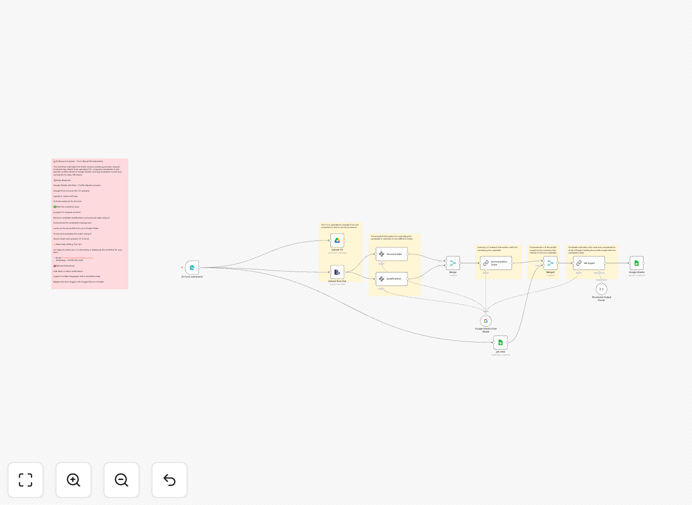
This AI-powered resume screening system transforms your hiring process by automating the initial candidate evaluation stage. When applicants submit resumes through your web form, the workflow automatically processes each document using Gemini AI to extract key qualifications, skills, and experience.
The system evaluates candidates against your job requirements, scoring each applicant based on predefined criteria. Results are organized in Google Sheets with clear rankings, while original resumes are securely stored in Google Drive. HR teams get instant access to pre-screened candidate lists, reducing manual review time by 70-80%.
How It Works
1. Candidate Submission
Applicants submit their resumes through your existing web form or job portal. The system accepts various file formats including PDF, DOCX, and text files.
2. AI Processing
Gemini AI analyzes each resume, extracting key information like work history, education, skills, and certifications. The AI compares these against your job requirements to generate suitability scores.
3. Data Organization
Candidate information and evaluation results are automatically organized in Google Sheets, with resumes stored in designated Google Drive folders. The system creates a searchable database of all applicants.
4. HR Notification
HR teams receive notifications about new applicants with direct links to top-ranked candidates. The system can be configured to send different alert levels based on candidate scores.
Who This Is For
This workflow is ideal for HR teams, recruiters, and hiring managers across all industries who need to:
- Process high volumes of applications efficiently
- Reduce bias in initial screening stages
- Shorten time-to-hire for critical positions
- Standardize candidate evaluation criteria
- Integrate AI tools into their recruitment process
What You'll Need
- An n8n account (free or paid)
- Google Workspace account with Sheets and Drive access
- Google Gemini API access
- A web form or application portal to collect resumes
- Job description with key requirements for AI matching
Quick Setup Guide
- Download and import the JSON template into your n8n instance
- Connect your Google Sheets and Drive accounts
- Configure your Gemini API credentials
- Set up your evaluation criteria in the workflow settings
- Connect your web form or application portal
- Test with sample resumes and adjust scoring as needed
Pro tip: Start with broad evaluation criteria, then refine based on the candidates your team actually interviews and hires. The AI will learn from these patterns over time.
Key Benefits
Reduce screening time by 80%: Process hundreds of resumes in minutes instead of days, allowing your team to focus on qualified candidates.
Improve hiring quality: Consistent, unbiased evaluations based on actual job requirements rather than subjective first impressions.
Scale your recruitment: Handle seasonal hiring spikes or rapid growth without adding HR staff.
Centralized candidate database: All applicant information organized in searchable Google Sheets with linked resume files.
Customizable scoring: Adjust evaluation criteria and weightings for different roles and departments.