What This Workflow Does
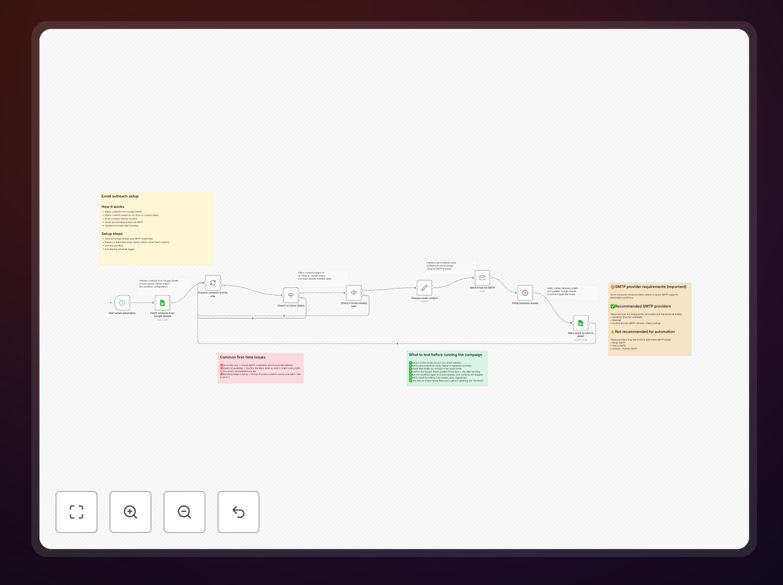
This automation solves the tedious process of manually sending personalized emails to contacts stored in Google Sheets. It eliminates repetitive work while ensuring consistent, error-free communication.
The workflow intelligently processes your contact list, filters recipients based on your criteria, prevents duplicate sends, adds delays between emails to respect provider limits, and updates your spreadsheet automatically - all while using your existing SMTP email service.
How It Works
1. Fetch contacts from Google Sheets
Connects to your Google Sheet and retrieves contact data including email addresses and any personalization fields.
2. Filter recipients
Applies your rules to determine who should receive emails (like no-show attendees or specific lead statuses).
3. Check for duplicates
Verifies each contact hasn't already received an email by checking a 'sent' column.
4. Send personalized emails
Uses your SMTP credentials to send customized messages with merge fields from your spreadsheet.
5. Add delays between sends
Respects email provider limits by spacing out messages to avoid triggering spam filters.
6. Update records
Marks contacts as sent in your Google Sheet automatically after each successful delivery.

Who This Is For
This workflow is ideal for:
- Marketing teams running targeted email campaigns
- Sales professionals managing outreach sequences
- Course creators following up with students
- Small businesses automating customer communications
- Anyone currently sending bulk emails manually from spreadsheets
Pro tip: Use conditional logic to segment your audience and send different email versions based on spreadsheet columns like purchase history or engagement level.
What You'll Need
- A Google Sheet with contact data (emails plus any personalization fields)
- SMTP credentials from your email service provider
- n8n account (free version works)
- Basic understanding of your email sending limits
Quick Setup Guide
- Download the template file
- Import into your n8n instance
- Connect your Google Sheets account
- Enter your SMTP server details
- Customize the email template with merge fields
- Set your filtering criteria
- Test with a small batch first

Key Benefits
Save 5-10 hours per campaign by eliminating manual email sending and tracking. The automation handles everything from personalization to follow-ups.
Improve deliverability with proper pacing between sends and professional SMTP infrastructure instead of personal email accounts.
Reduce errors with automatic duplicate prevention and real-time spreadsheet updates so you never send to the same person twice.
Gain insights by tracking opens/clicks if your SMTP service supports it, with all data stored right in your Google Sheet.
Scale effortlessly from dozens to thousands of emails without additional work or stress about missing contacts.